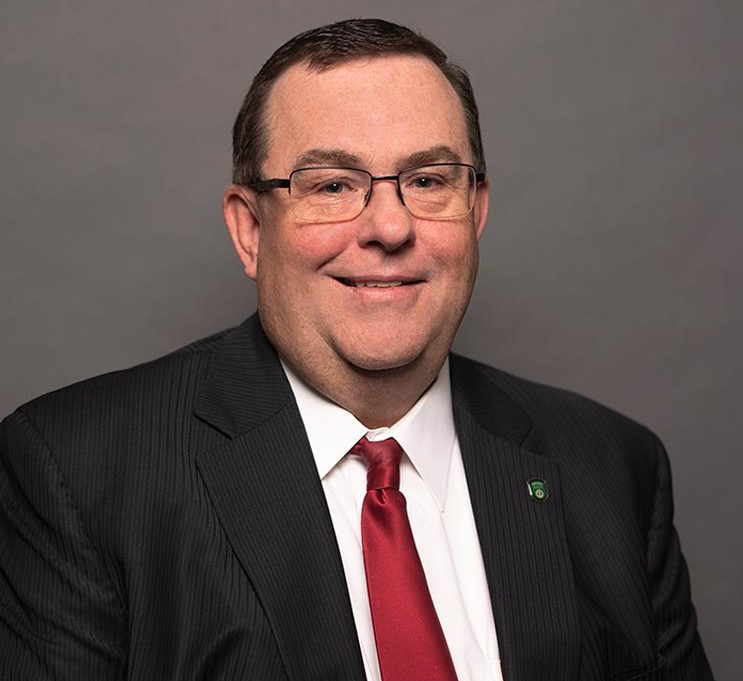
Authors: Jeff Weeks, Senior Vice President and Chief Information Security Officer
David Dawson, Vice President, BSA/AML Officer
Remote access scams are an increasingly common form of financial fraud. Criminals often impersonate banks, technology companies, government agencies, or fraud investigators to convince victims to install software that allows them to control a computer or mobile device.
If someone claiming to represent your bank asks to take control of your computer, stop immediately. This is a major red flag.
These bank impersonation scams often rely on convincing victims to install remote access software.
What Is a Remote Access Scam?
In a remote access scam, a fraudster contacts you by phone, text, email, or pop-up message and claims there is an urgent problem, such as:
- Your bank account has been compromised.
- Someone is trying to steal your money.
- Your computer has a virus.
- A fraudulent transaction has been detected.
- Your online banking credentials need to be secured.
The scammer then instructs you to download remote access software such as:
- TeamViewer
- AnyDesk
- LogMeIn
- UltraViewer
- ScreenConnect
- Other remote support applications
Once installed, the criminal can see your screen, control your device, capture passwords, access financial information, and potentially transfer money from your accounts.
What Banks Will Never Do
Your bank will never:
- Ask you to install remote access software.
- Request control of your personal computer or smartphone.
- Ask for your online banking password over the phone.
- Tell you to move money to a "safe account" or "secure account."
- Ask you to purchase gift cards, cryptocurrency, or wire transfers to stop fraud.
- Pressure you to act immediately without giving you time to verify the situation.
How a Remote Access Scam Works
You receive a phone call from someone claiming to be from your bank's fraud department.
They know your name and may even spoof the bank's phone number to appear legitimate.
The caller says suspicious activity has been detected and urges you to install software so they can "help secure your account."
Once connected, the scammer gains access to your device and directs you to log in to online banking. They may secretly transfer funds, capture credentials, or manipulate what you see on your screen to commit online banking fraud on your account.
By the time the victim realizes what happened, the money may already be gone.
How to Protect Yourself
Follow these simple rules:
1. Never Give Remote Access to Unsolicited Callers
If someone contacts you unexpectedly and asks to access your device, hang up immediately.
2. Contact Your Bank Directly
Use the phone number on the back of your debit card, bank statement, or the bank's official website. Do not use a phone number provided by the caller.
3. Be Skeptical of Urgency
Scammers create panic because rushed decisions lead to mistakes. Legitimate organizations want customers to verify concerns and make informed decisions.
4. Don't Trust Caller ID
Criminals can spoof legitimate phone numbers, making it appear that a call is coming from your bank or another trusted organization.
5. Keep Software Updated
Regular updates can help protect devices from known vulnerabilities and security threats.
6. Enable Multi-Factor Authentication
Whenever available, use multi-factor authentication (MFA) to add another layer of protection to your accounts.
Warning Signs of a Remote Access Scam
Be cautious if someone:
- Claims there is an emergency requiring immediate action.
- Asks you to download software.
- Tells you not to contact your bank directly.
- Requests passwords, security codes, or one-time passcodes.
- Instructs you to transfer money to another account.
- Asks you to stay on the phone while logging into online banking.
What to Do After a Remote Access Scam
Act quickly:
- Disconnect the device from the internet.
- Contact your bank immediately.
- Change your online banking and email passwords from a trusted device.
- Review account activity for unauthorized transactions.
- Run a security scan and seek assistance from a trusted IT professional.
- Report the incident to law enforcement and appropriate fraud reporting agencies.
Remember
Banks work hard to protect your accounts, but criminals often rely on convincing people to give them access voluntarily.
A simple rule can help keep you safe:
If someone claiming to be from your bank asks to remotely control your computer or phone, it is a scam. Hang up, disconnect, and contact your bank directly using a trusted number.
Staying informed is one of the best defenses against fraud. When in doubt, stop, verify, and contact your bank directly.
FAQs
A remote access scam occurs when a criminal convinces you to install software that allows them to view or control your computer or mobile device. Once connected, they may steal passwords, access financial accounts, or commit fraud.
No. Legitimate banks will not ask customers to install remote access software or take control of your personal computer or mobile device. If someone claiming to be from your bank asks for remote access, end the conversation and contact your bank using a trusted phone number.
Hang up immediately. Do not install any software or provide login credentials. Contact your bank using the phone number on the back of your debit card, bank statement, or the bank's official website to verify whether there is a legitimate issue.
Disconnect your device from the internet, contact your bank immediately, change your passwords from a trusted device, review your accounts for unauthorized activity, run a security scan, and report the incident to the appropriate authorities.
About the Authors
Jeff has been with FNBO for more than 26 years and is currently the Senior Vice President and Chief Information Security Officer. The executive leadership and oversight provided by Jeff in the development, management, and execution of information security for FNBO enables the company’s ability to posture and protect private, personal information, and assets of the company’s clients, employees, and business partners.
David has been with FNBO for more than a decade and currently serves as Vice President, BSA/AML Officer. The enterprise leadership and oversight provided by David in the development, management, and execution of FNBO's Financial Crimes Compliance program enables the company's ability to detect, prevent, deter, and report money laundering, sanctions violations, and other illicit financial activity that could harm its customers, employees, and business partners.
